Bring order to terminal chaos, keep every service in sight, and see how your architecture fits together.

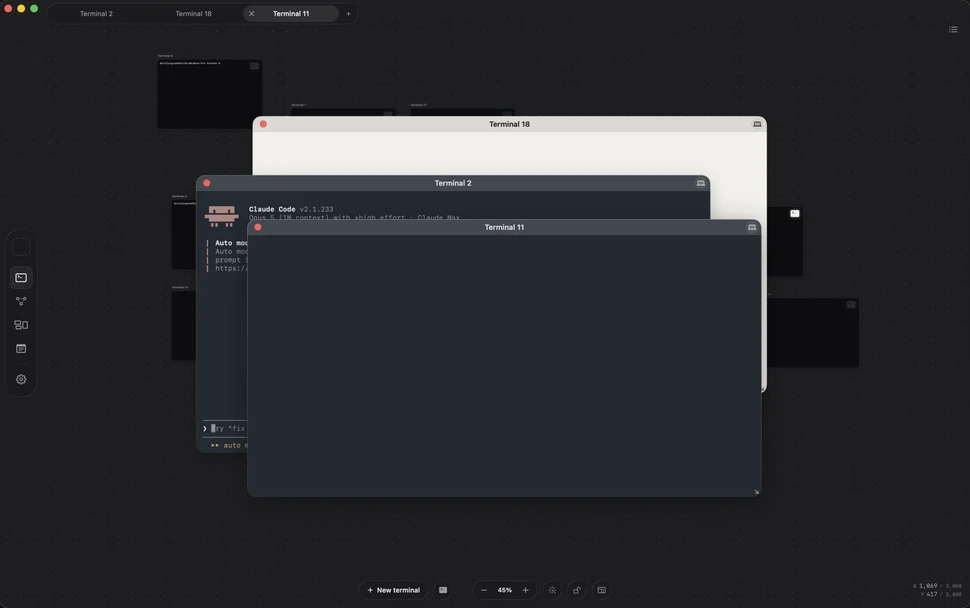
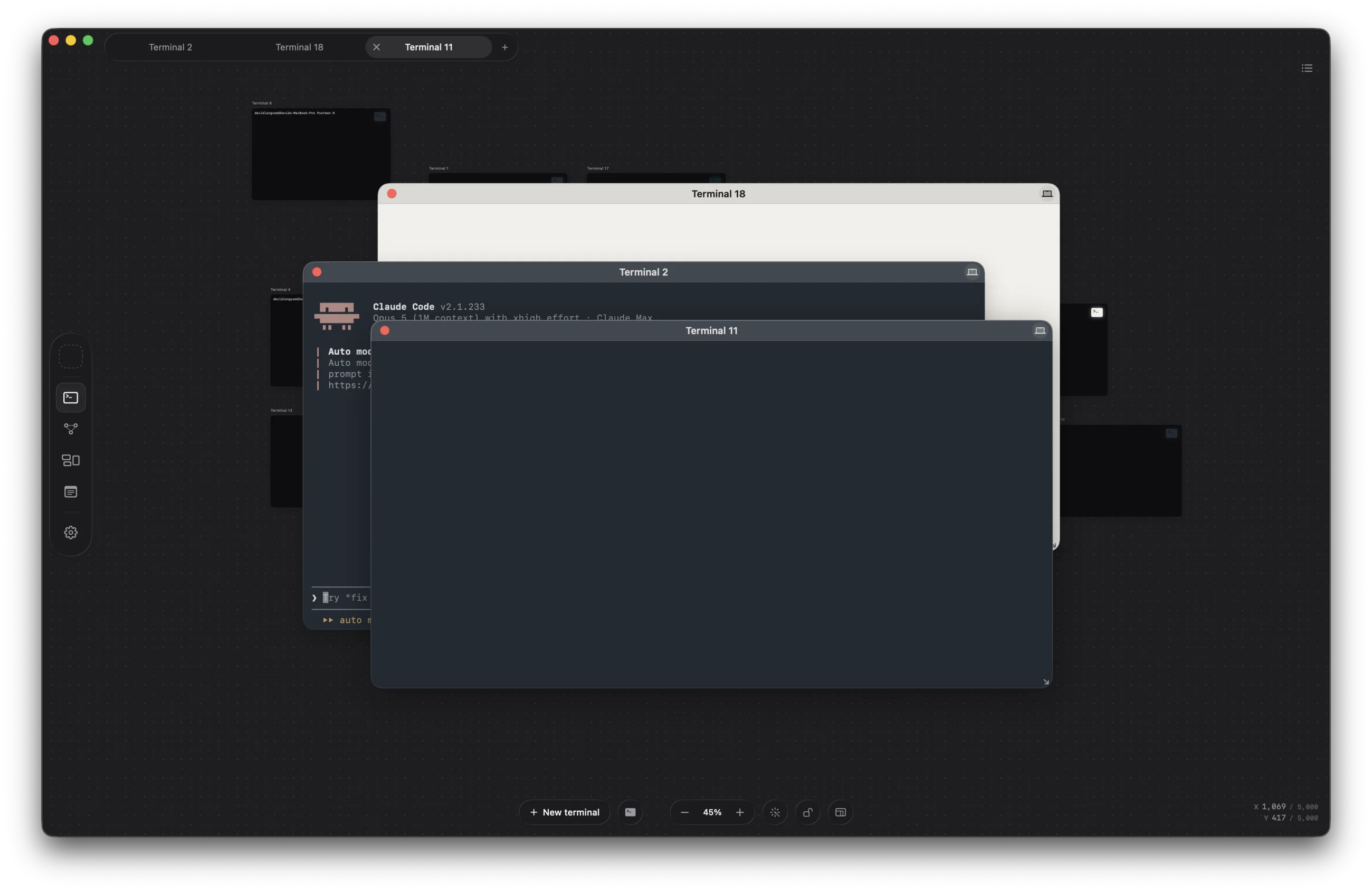
An Outward project canvas with three terminal windows open over a grid of terminal cards

A project lives in a dozen places at once — terminals you keep alive, cluttering up your dock, architecture you carry in your head, notes you meant to write down, files you dropped somewhere. Outward puts all of it in one window. Local and private.

Download for macOS

Here’s how it works.

Terminal

One window for the terminals.

Every terminal becomes a card on the project canvas — arranged where they make sense, named for what they are doing. Each one is its own tmux session, so quitting Outward does not throw the work away. Reopen the project and the scrollback is still there.

Three terminal windows open over a canvas of terminal cards in Outward

Stack

Put the whole system in front of you.

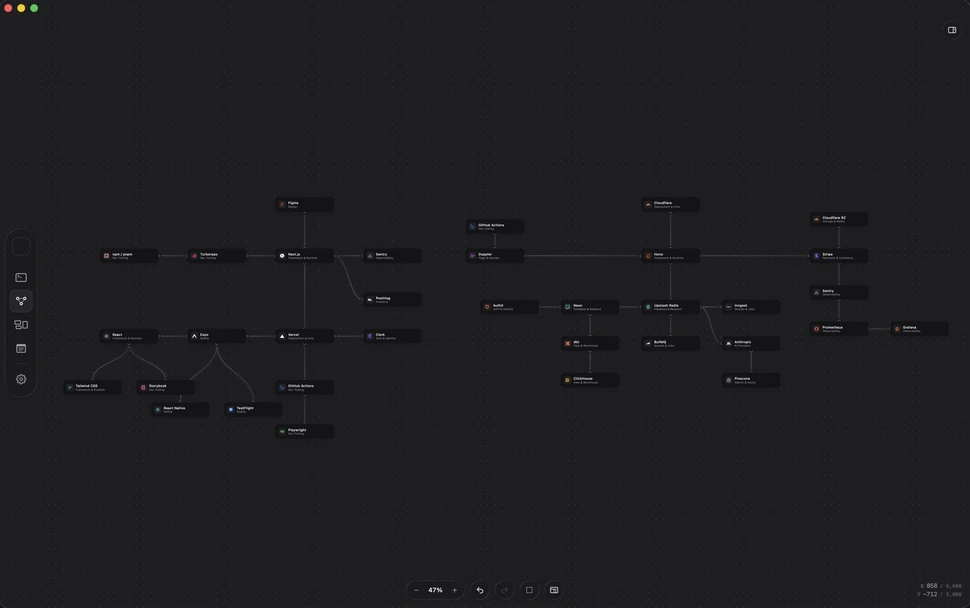
The map of a system usually lives in your head, or in a diagram that stopped being accurate three decisions ago. Stack keeps it in the project: pull in the services you actually run, wire the relationships, and open any of them straight from the canvas.

The project's services and databases wired together on the Stack canvas

Assets

A dumping ground, on purpose.

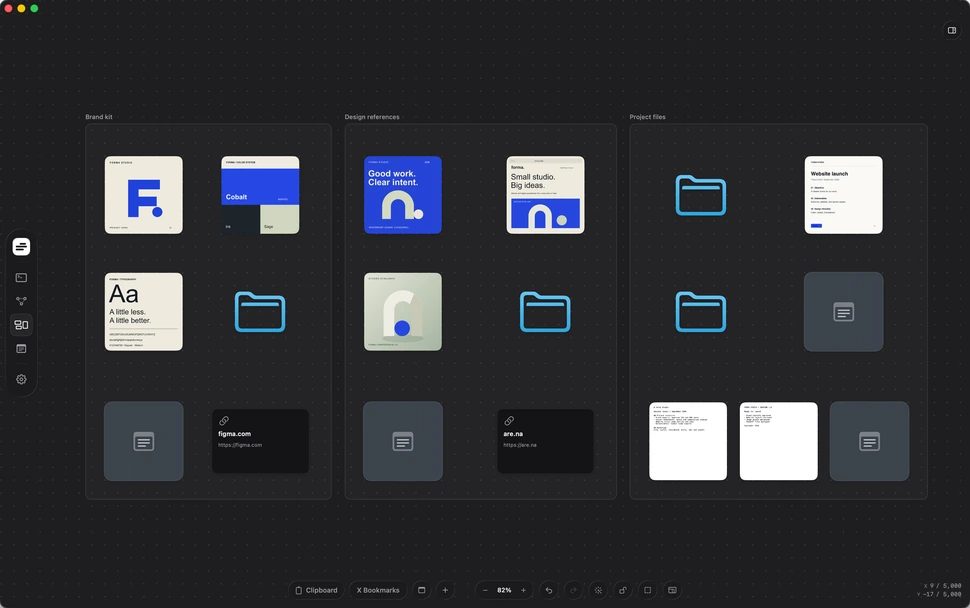
Exports, screenshots, references, PDFs, fonts, clips — one canvas for everything that fits nowhere else. Drop it anywhere, with no folder system to invent first. Files are copied into the project, so clearing your Downloads never breaks the board.

Screenshots, documents, archives and sticky notes spread across the Assets canvas

Notebook

Notes without the note-taking system.

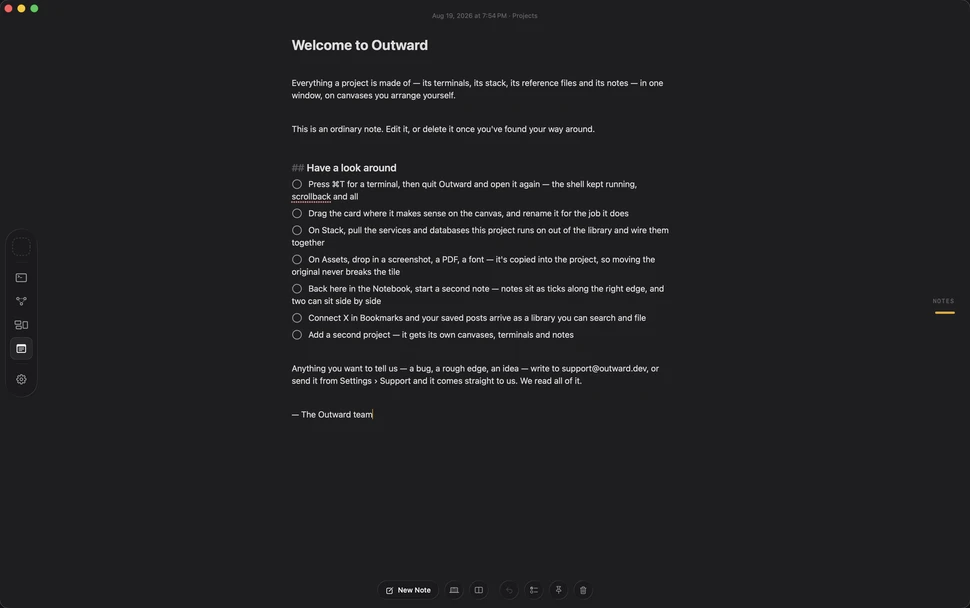
Open a note and start typing. Decisions, setup commands, half-formed ideas — kept beside the work they belong to, with no folders, tags or databases to maintain. Somewhere to put the thought before it disappears.

A note open full-page in the Notebook, with its checklist and the note index down the right edge

One window.
The whole project.

Download for macOS